
Resting 90 seconds? Be honest.
Check a set and the rest timer starts by itself. Lock your phone, it stays on your Lock Screen. Back under the bar on time.
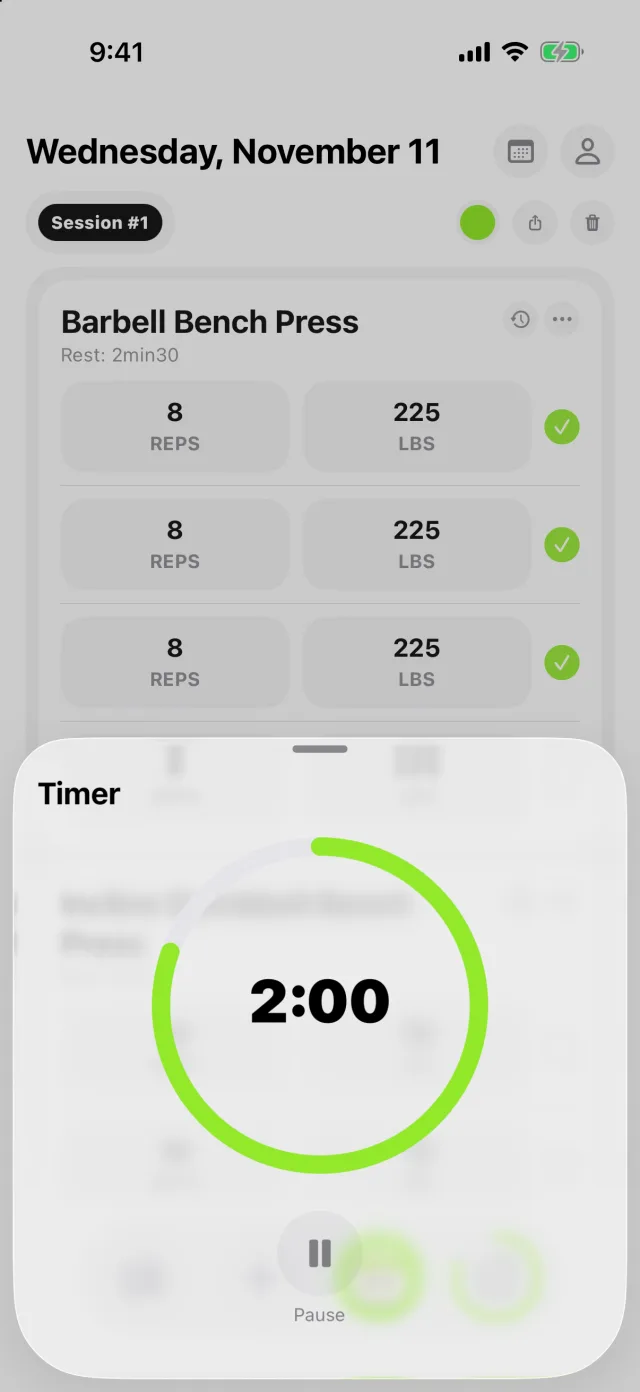
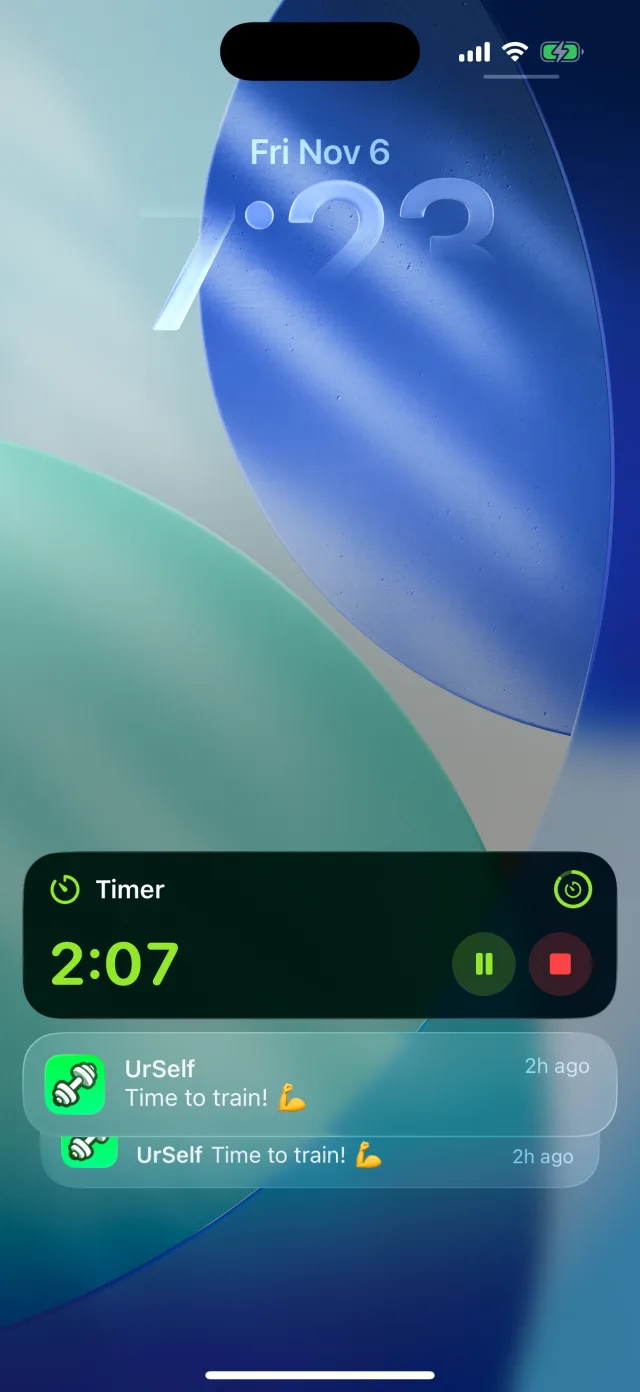
The UrSelf rest timer starts automatically when you check off a set, uses each exercise's rest time and alerts you when it ends. It also runs countdown, EMOM and work/rest rounds, and shows on the iPhone Lock Screen and Dynamic Island with Live Activities.
One timer for lifting and conditioning.
- Countdown for rest between sets, set per exercise
- EMOM: a new set every minute on the minute
- Rounds: work and rest intervals, as many rounds as you want
- Pause, resume or skip from the Lock Screen on iPhone
Not another stopwatch app.
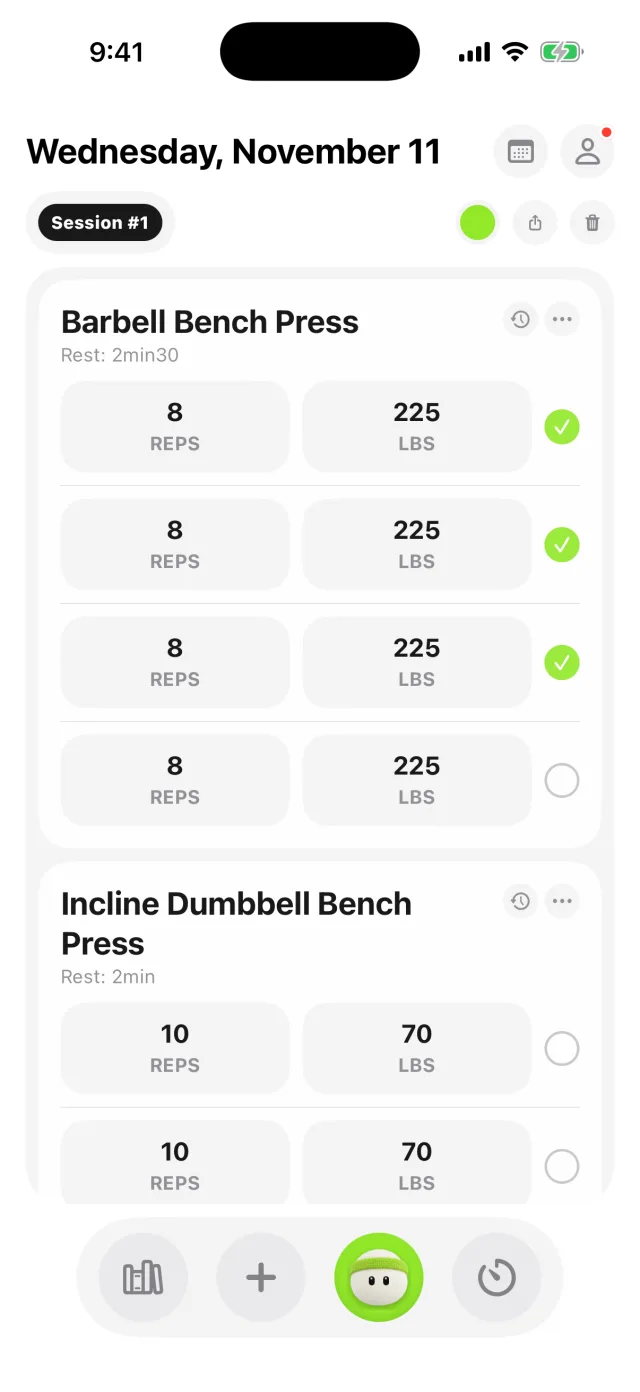
The timer lives inside your workout, next to your sets and last time's numbers. One app on the bench, not three.
See the workout tracker Questions lifters ask
What is the best rest timer app for the gym?
One that runs without you thinking about it. In UrSelf the rest timer can start automatically when you check off a set, uses the rest time you set per exercise, and alerts you when it ends. It also offers countdown, EMOM and work and rest rounds for conditioning.
Can the rest timer show on the Lock Screen?
Yes. On supported iPhones the UrSelf timer shows on the Lock Screen and in the Dynamic Island with Live Activities, where you can pause or skip it without opening the app. On Android you get timer notifications.
How long should I rest between sets?
Common guidance is about 2 to 3 minutes or more for heavy compound lifts and about 1 to 2 minutes for accessory work. Longer rests usually let you keep more reps on heavy sets. Set a rest time per exercise in UrSelf and the timer uses it.
Is there an app with a workout tracker and an EMOM timer?
Yes. UrSelf combines a full workout log with a timer that does countdown, EMOM (every minute on the minute) and work and rest rounds.
Your next session starts here.
Free to start on iPhone and Android. Log your sets, beat last time's numbers, and ask Buddy for your next workout.